Gnomik helps private-practice specialists think about their clients’ needs, not about scheduling and payments
Hey, I’m Alina Riaby 👋
I’m an emotionally-focused therapist, mother of five children and grandmother of a little granddaughter.
In 2018 I came back from maternity leave and started working online as a private therapist. At first I had few clients and all the organisational routine hardly took any time. Gradually the number of clients grew — and so did the amount of admin work.
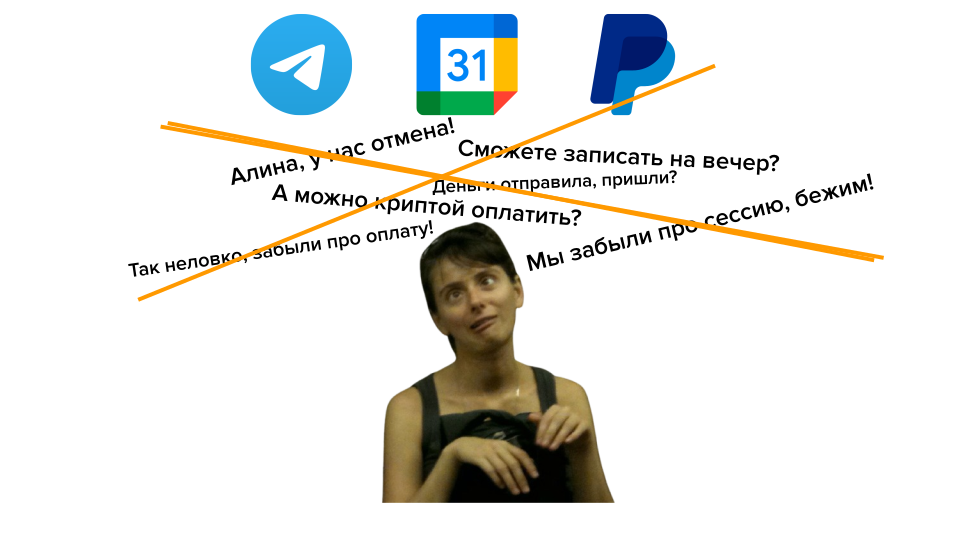
I realised that building my schedule, running my calendar, finding time for new clients, tracking payments, rescheduling sessions — all this started taking a lot of time and energy! Instead of time with my family, I kept working: between sessions, on weekends, on walks and in transport, in the mornings and evenings. The admin never ended: more clients, more payment options, fewer free slots in the calendar, more headaches 🤯
At some point I exclaimed:
“I want to do only the work I love — psychotherapy! And let someone else deal with this pile of tiny admin and accounting tasks. I need a magical secretary-gnome!”
Surprisingly, in the end I really did invent such a Gnomik — and now I want to share it with you!
Gnomik is a bot in Telegram and a little magical secretary. Gnomik keeps your schedule in order, books new clients, tracks reschedules and cancellations, keeps an eye on payments. Gnomik tries to stay unobtrusive and not bother you without reason — it only sends you notifications when it’s truly necessary. For your clients, Gnomik will remind them about consultations and send the Zoom meeting link.
After a session, Gnomik will send an invoice, track the payment and gently remind about it if needed. Gnomik can even take pre-payments from clients for several sessions in advance, manage that bookkeeping itself and keep both you and your clients informed.
I invite you to look around the website, watch the video about Gnomik and hire Gnomik for 6 weeks for free!
With respect and care,
— Alina ❤️
Placeholder for a video: Alina demonstrates Gnomik in action
How Gnomik helps
Builds your work schedule
🗓️ Gnomik helps you build a work schedule based on your time preferences and workload. Based on this schedule, Gnomik creates events in Google Calendar and takes it into account when booking new clients.
Sends you a plan for the day
🌞 In the morning or the evening before, Gnomik sends a short summary for the upcoming day: how many sessions, with whom, at what time. You can immediately sketch out your plan for the day.
Need to move something? Just write in the chat and Gnomik will update the calendar.
Books new clients
👫 After a client contacts you in Telegram and you’ve briefly discussed your working conditions, you send the client a link to Gnomik. The client starts Gnomik and it helps them find a suitable free time for a consultation.
Gnomik will message you only if the client cannot find a suitable time at all — otherwise Gnomik simply creates the meeting in Google Calendar, adds the Zoom link and reminds everyone about the session only when needed.
Reminds about sessions
🔔 Gnomik reminds about a session in advance — first a day before, then ten minutes before the meeting: it sends a reminder and the Zoom link.
If you work with pre-payment, Gnomik will send invoices to clients in advance and highlight for you if the payment hasn’t come through yet.
Tracks payments
🧾 Gnomik issues invoices to clients, using the payment details you’ve added: a payment link or bank account details.
Gnomik asks the client to pay and then confirm the payment — and immediately notifies you so you can check the transaction in your banking app. If there’s no payment confirmation, Gnomik will gently remind the client and highlight it for you.
Gnomik can take pre-payment for a package of sessions: it remembers how many sessions have been paid in advance and keeps clients informed. You don’t need to do this bookkeeping — Gnomik will remind everyone when the deposit runs out.
Sums up the month
📊 Every month Gnomik sends a report: how many clients you had, how many consultations, how much money you earned. Gnomik compares it with the previous month and shows the trend. And it will definitely praise and encourage you ❤️
Keeps data only with you
🔒 Gnomik uses only your data and doesn’t store anything on its own side. All meetings are recorded in your Google Calendar, and clients/sessions/payments live in your Google Sheet. If something suddenly happens to Gnomik, your data won’t be harmed and will remain with you.
By the way, this also applies to the trial period — you’ll work with Gnomik for 6 weeks free, and during this time it will create a good schedule for you in Google Calendar and a client base in a Google Sheet.
Even if you decide that Gnomik doesn’t suit you yet, all this data remains with you, and you can continue to maintain the schedule and database yourself, without Gnomik. And if you decide to come back, Gnomik will pick everything up where you left it!
Hire Gnomik for free